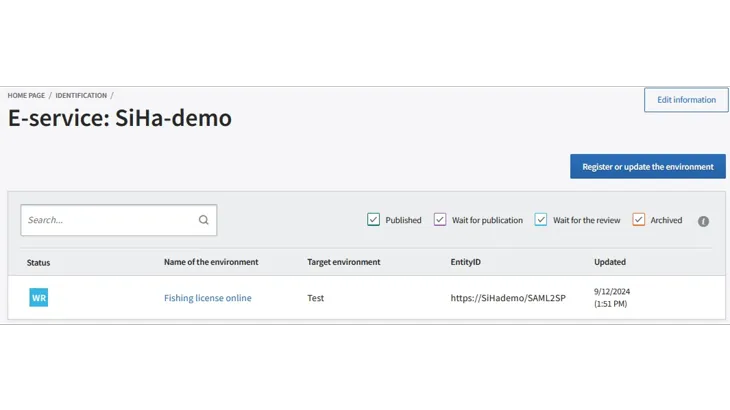
Use of the Suomi.fi identification administration interface
n the administration interface of the Suomi.fi Identification, you can add the e-services within your organisation that use the Identification and administer their technical registration.
Using the administration interface is divided into two steps.
- Create an e-service in the administration interface, i.e. the service where your organisation intends to use the Identification service. The e-service's data contains the name of the e-service and a description of its operations.
- Register one or more environments for the service you have created, for example for testing or actual production use.
After your organisation has implemented the Identification service, you reach the service's administration interface via the main view of the Suomi.fi service administration after identificationOpens in a new window..
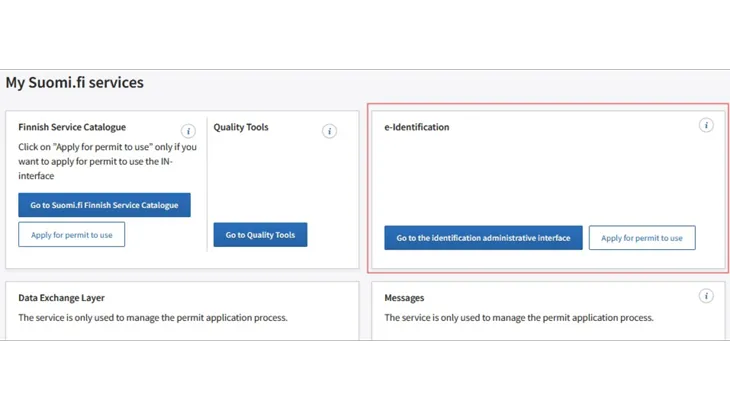
To add an e-service
The added e-services are listed on the Service Identification administration interface in the main view. When you use the administration interface for the first time, the main view of the administration interface gives you hints on how to proceed.
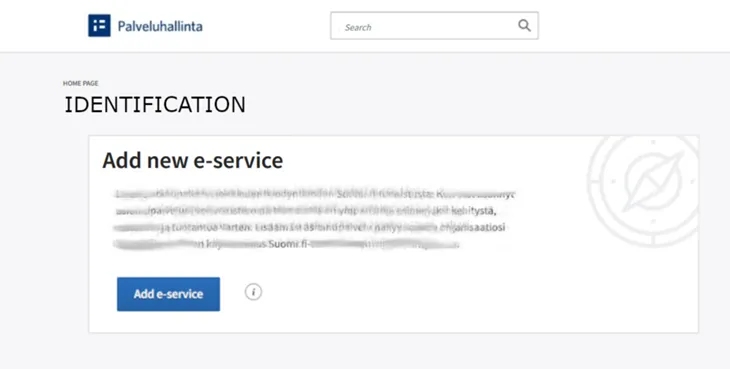
After the e-services have been added, they are listed in the Service Administration main view. You can add more e-services in the same view.
To the information about the e-service, you must add its name and a description of how the e-service works. This data is not used in the views intended for end users, but is intended to support your organisation.
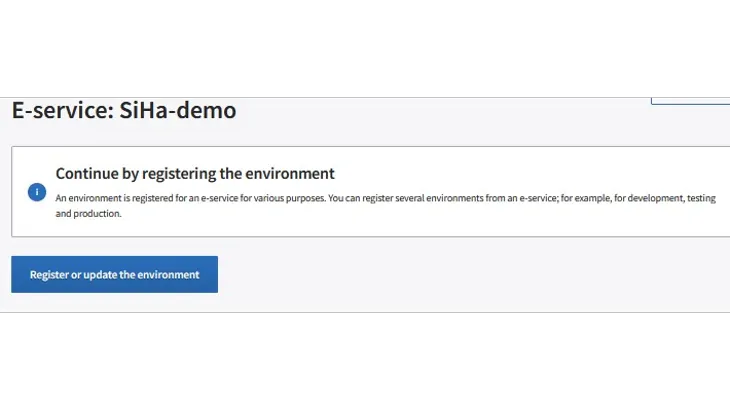
To register an environment
After you add the e-service, you can register one or more environments for your e-service for different purposes of use.
The registration of the environment is a technical operation and you need a metadata file according to the SAML 2.0 standard to be able to do this. If you do not have the metadata file ready, check out the instructions for creating the metadata file.
The environment can be registered either for test or production use. Please note that before production use, your organisation must also apply for a use permit for the e-service in good time before you wish to start using it.
Registration takes place in the e-service view. This view also lists the registered environments and their statuses.
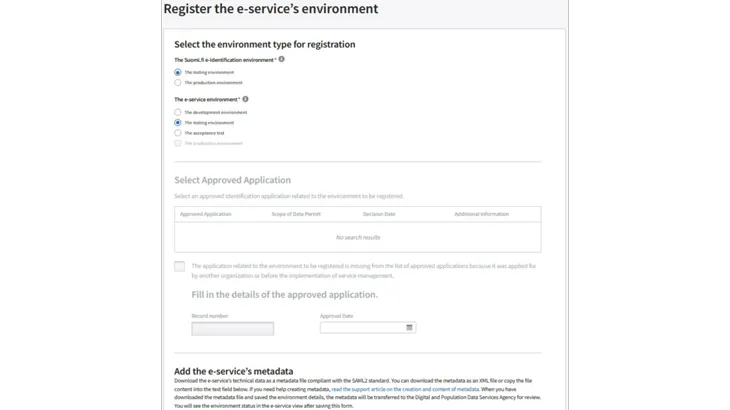
After you upload the metadata file and save the environment's data, the metadata is transferred to the Authority for Digitization and Population Data for review. You see the status of the environment in the e-service's own view.