
Data Exchange Layer's RHEL or Ubuntu Security Server
To turn a Host Server into a Security Server, first install the Ubuntu or RHEL operating system and then install the X-Road Security Server Software. The RHEL and Ubuntu based Security Server can be used for offering and using services.
If your organisation intends to deploy and maintain the Security Server by themselves, you will first need a platform on which the Security Server Software is installed later.
See also the other Data Exchange Layer Security Server option Docker-containerised Security Server Sidecar.
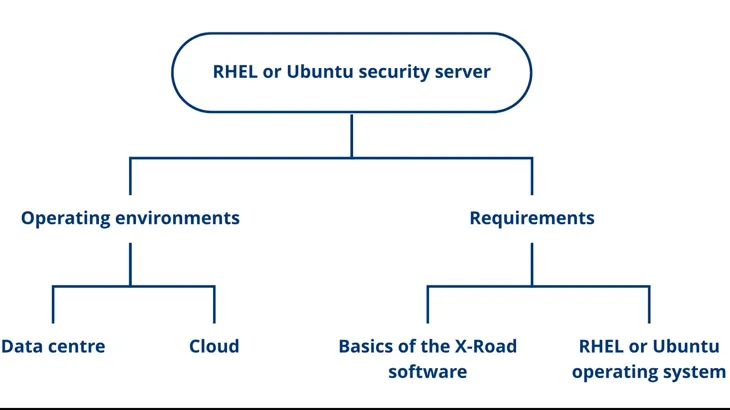
What kind of organisation is this Security Server suitable for?
A good option for an organisation that has Linux expertise in RHEL or Ubuntu systems.
What does the Security Server require from the organisation?
- Necessary resources for maintaining and managing the Security Server
- A virtual or physical Host Server
In addition, the person responsible for the Security Server should be familiar with:
- RHEL or Ubuntu Operating System
- Basics of the X-Road software
Technical requirements for the Security Server
If your organisation wants to install the Security Server Software by themselves, please see the technical requirements for the Security Server:
- Operating System: Ubuntu 20.04 LTS, Ubuntu 22.04 LTS or RHEL 7, RHEL 8
- Processor: Dual Core at the minimum
- RAM: 4 GB
- Disk space: 10 GB free disk space
Learn about the technical requirements for a Security Server.
Operating environment of the Security Server
The Security Server can be placed in the following environments:
- a cloud environment
- a data centre
When making your choice, consider what technologies your organisation already uses and what the usage of the Data Exchange Layer will be like.
Setting up a Security Server in a cloud environment
The benefits of locating a Security Server in a cloud environment are, for example, cost efficiency, redundancy and scalability. In a cloud environment, the capacity required by the Security Server can also be easily increased and the implementation can be made highly fault tolerant.
It is a good idea to place the Security Server in a cloud environment, especially when your organisation:
- already has knowledge about cloud technologies and the other services of your organisation are already in the cloud environment.
- plans to use The Data Exchange heavily and the need for capacity varies. For example:
- Your organisation offers and/or uses many services.
- The degree of utilisation of your organisation's services varies. For example, data queries might peak at times.
- The services provided by your organisation must be highly fault tolerant.
The costs vary depending on the cloud environment used. Cloud environments often use cost-effective pricing, where you pay only for the capacity you use. There are different pricing calculators to help estimate costs. See, for example, the Amazon Cloud Environment (AWS) calculatorOpens in a new window..
You can read about AWS best practices hereOpens in a new window..
Setting up the Security Server in a data centre
A Security Server located in a data centre is suitable for both heavy and light use. It is more difficult to scale the capacity of a Security Server located in a data centre.
It is a good idea to place the Security Server in a data centre, when:
- Your organisation already has its own data centre infrastructure and knowledge of data centres
- The data to be processed in the Data Exchange Layer must remain in Finland due to data protection or information security requirements
Differences to a Security Server Sidecar
- Based on a different technology
- Requires a separate Host Server
- Is a slightly heavier option than a Security Server Sidecar
- No dedicated instructions are available for cloud use of an RHEL or Ubuntu Security Server
Example: RHEL or Ubuntu Security Server in a data centre or in your own IT infrastructure. The organisation FI provides particularly sensitive data through the Data Exchange Layer. The data may not be processed outside Finland’s borders. The organisation has experience of the RHEL operating system, so the organisation decides to install the RHEL security server in its own data centre located in Finland.
Deployment of the Security Server
If your organisation intends to deploy a Security Server Sidecar, see the following support articles
- Installation instructions for RHEL Security Servers
- Installation instructions for Ubuntu Security Servers
- Using external load balancer
- Technical documentation provided by NIISOpens in a new window.